 Apptionary
Get 2.0 Today on the App Store • Screenshots Reflect Upcoming 2.1 Release
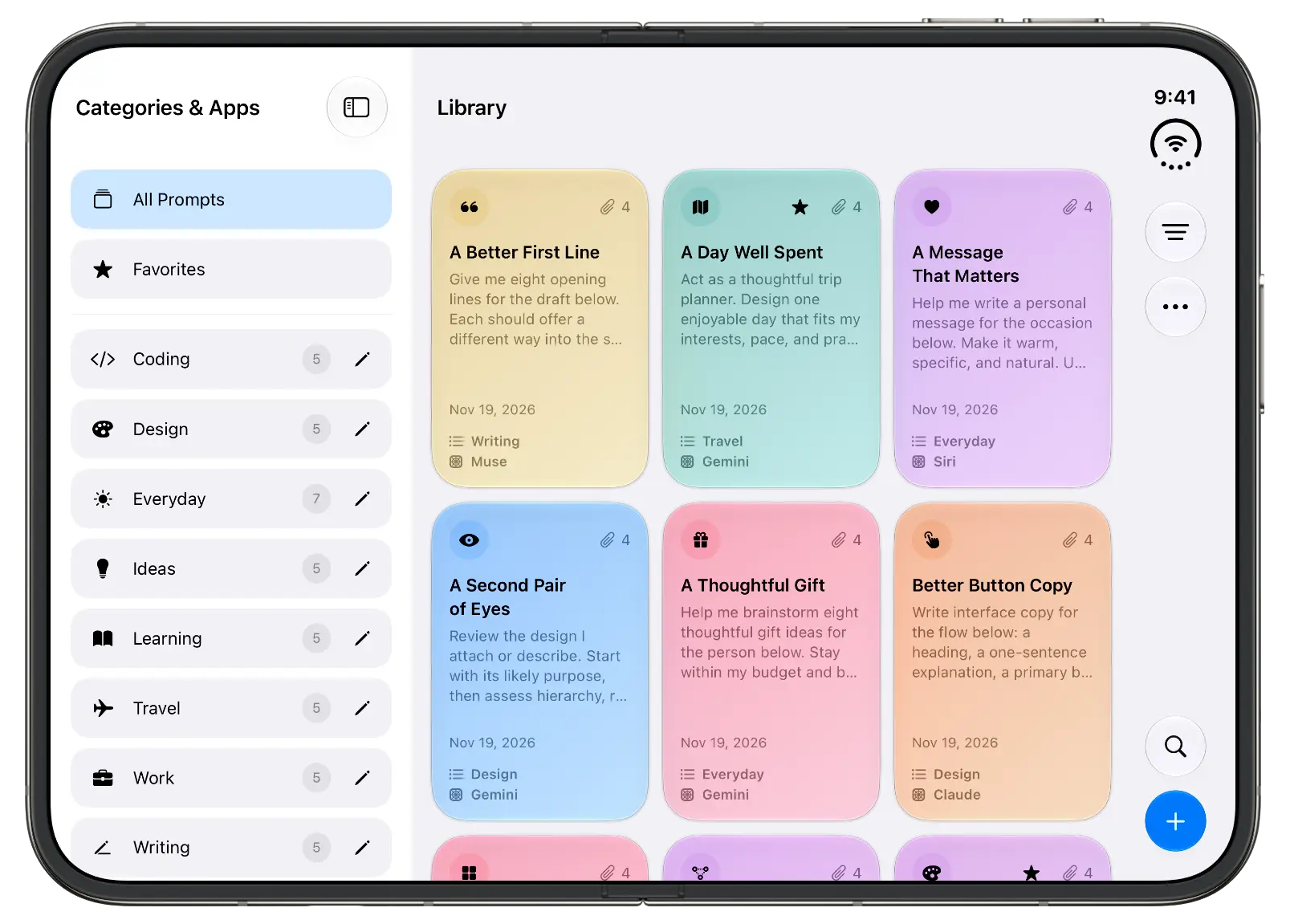

QuillCue
A prompt studio for engineering the outputs that you want from your favorite AI apps.
Organize and reuse your prompts • Optimized for iPhone Duo

Available on the US App Store • Requires iOS 27
THE REVIEWS ARE IN
“QuillCue levels up your Siri AI experience”
9to5Mac
“I love how colorful and minimal the entire experience is”
MacStories
“a great place to maybe save those prompts you use often”
Top Five Tech
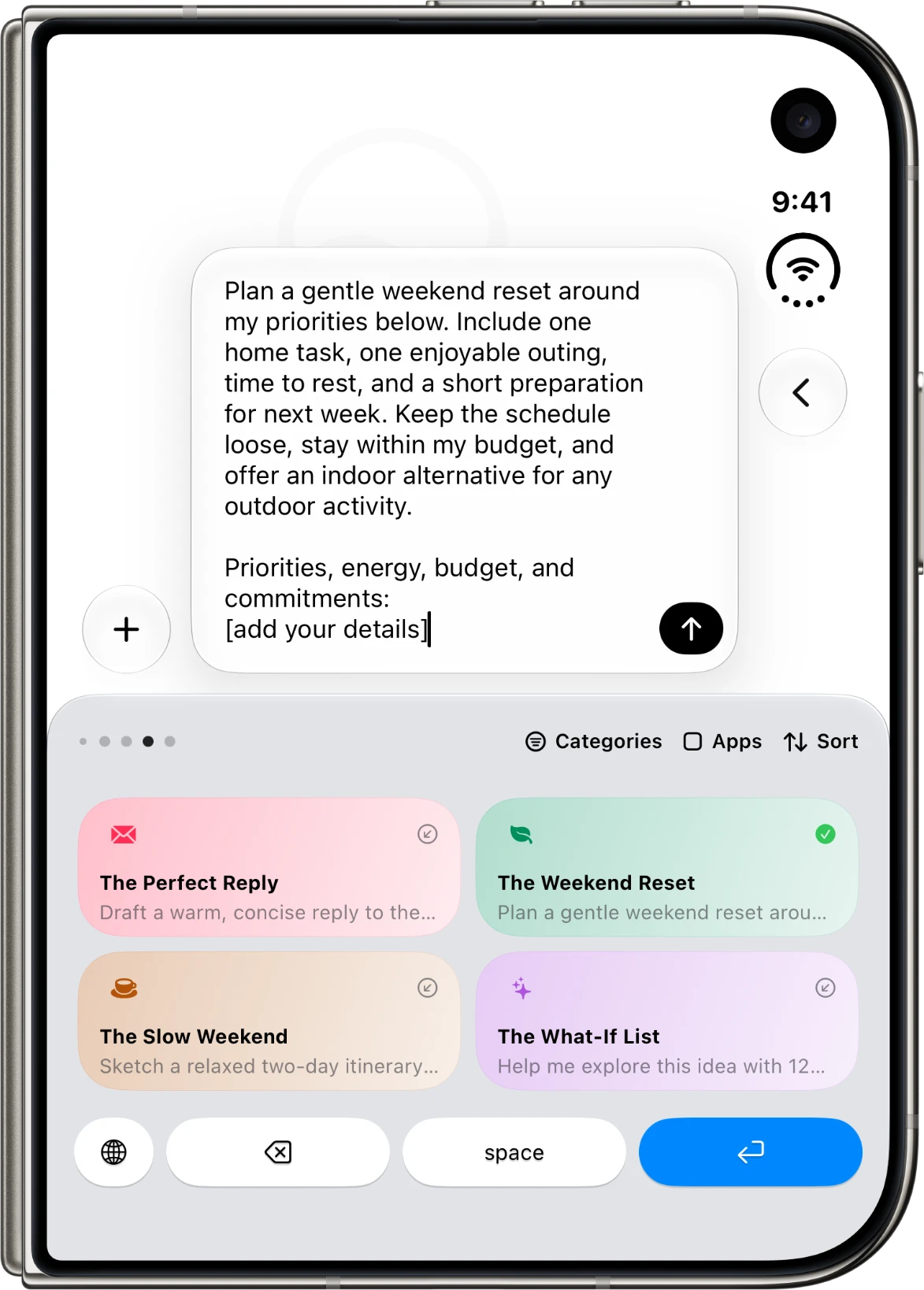
Keyboard Extension
Enable the keyboard to quickly insert your prompts into AI apps. Sort by category, apps, and more.
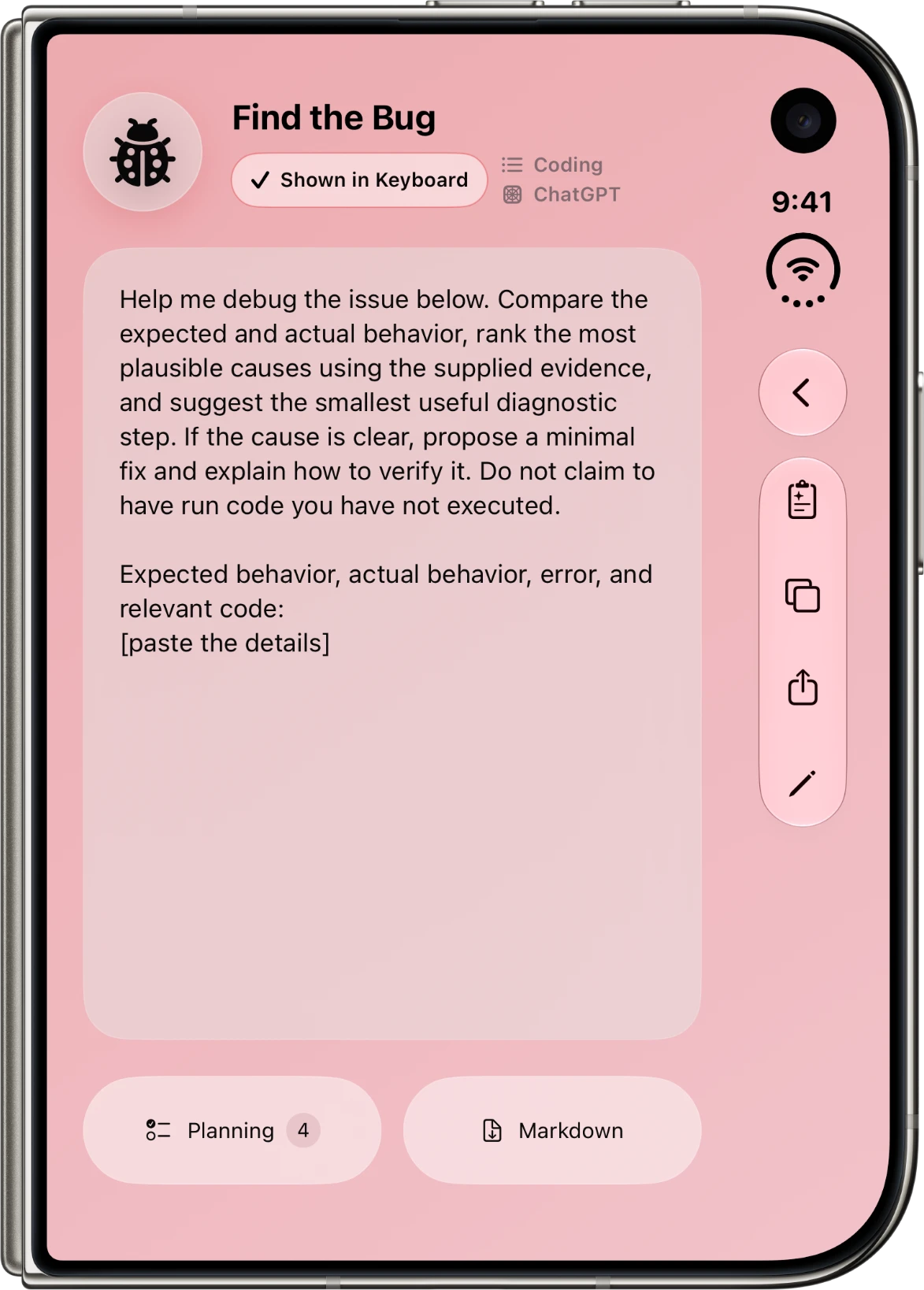
Organize Your Prompts
Assign colors, categories, and apps to your prompts and browse them with ease. Prompt previews have access to plenty of controls too.
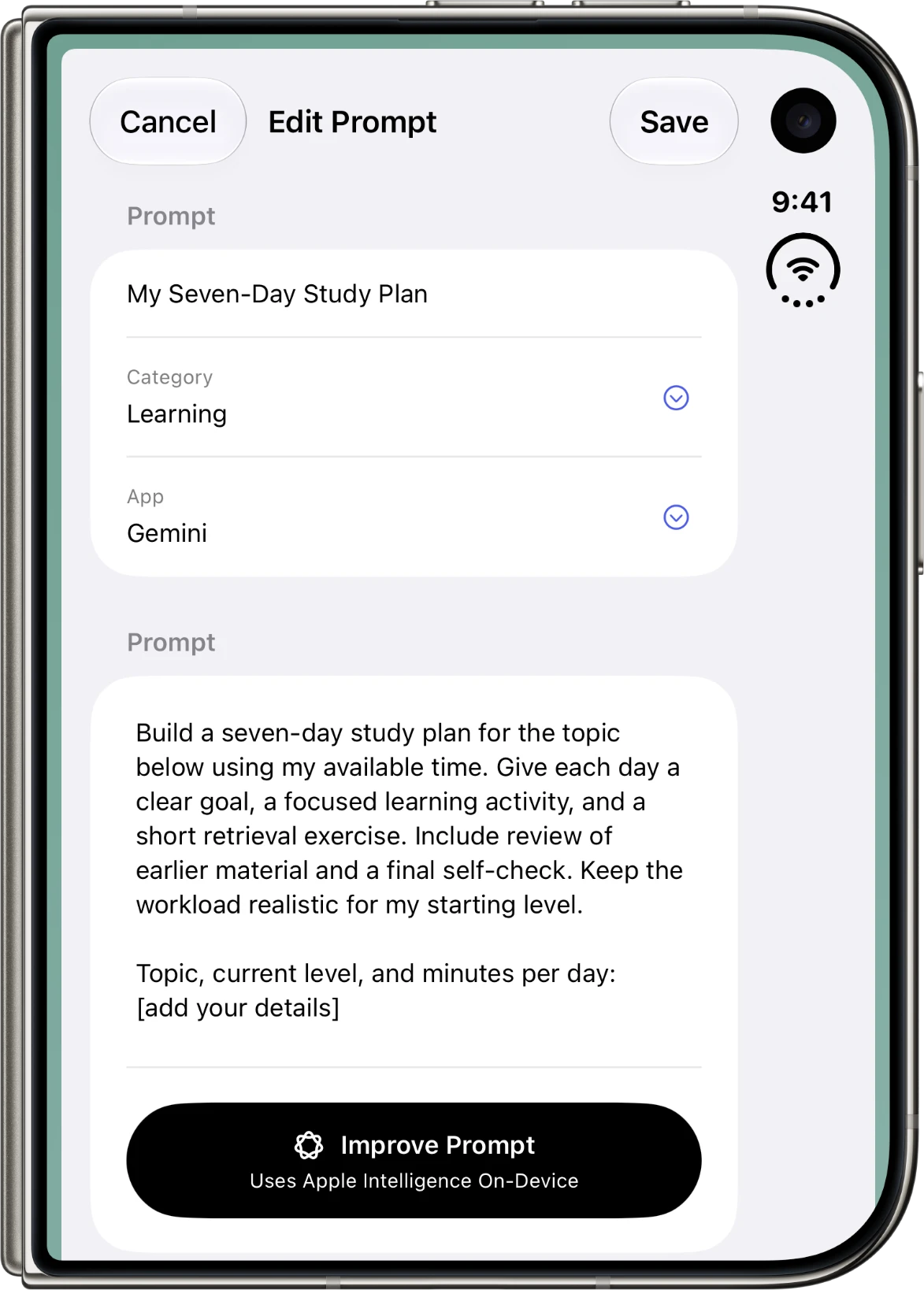
Improve Prompts
Use Apple Intelligence on-device to improve your prompts in an attempt to get better output results.
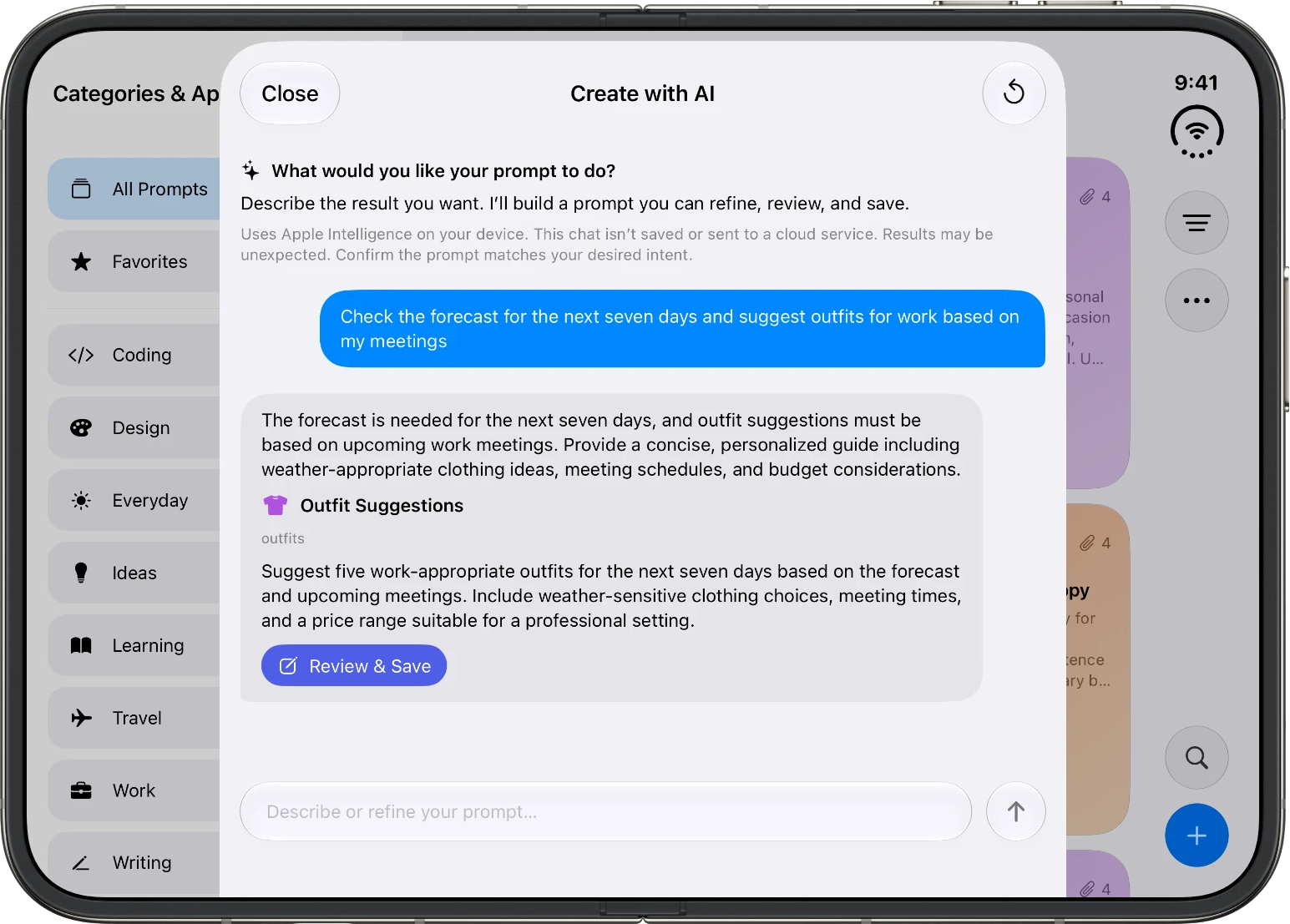
Chat to Make New Prompts
Chat with Apple Intelligence on-device to create prompts from scratch and work with it to make it better.
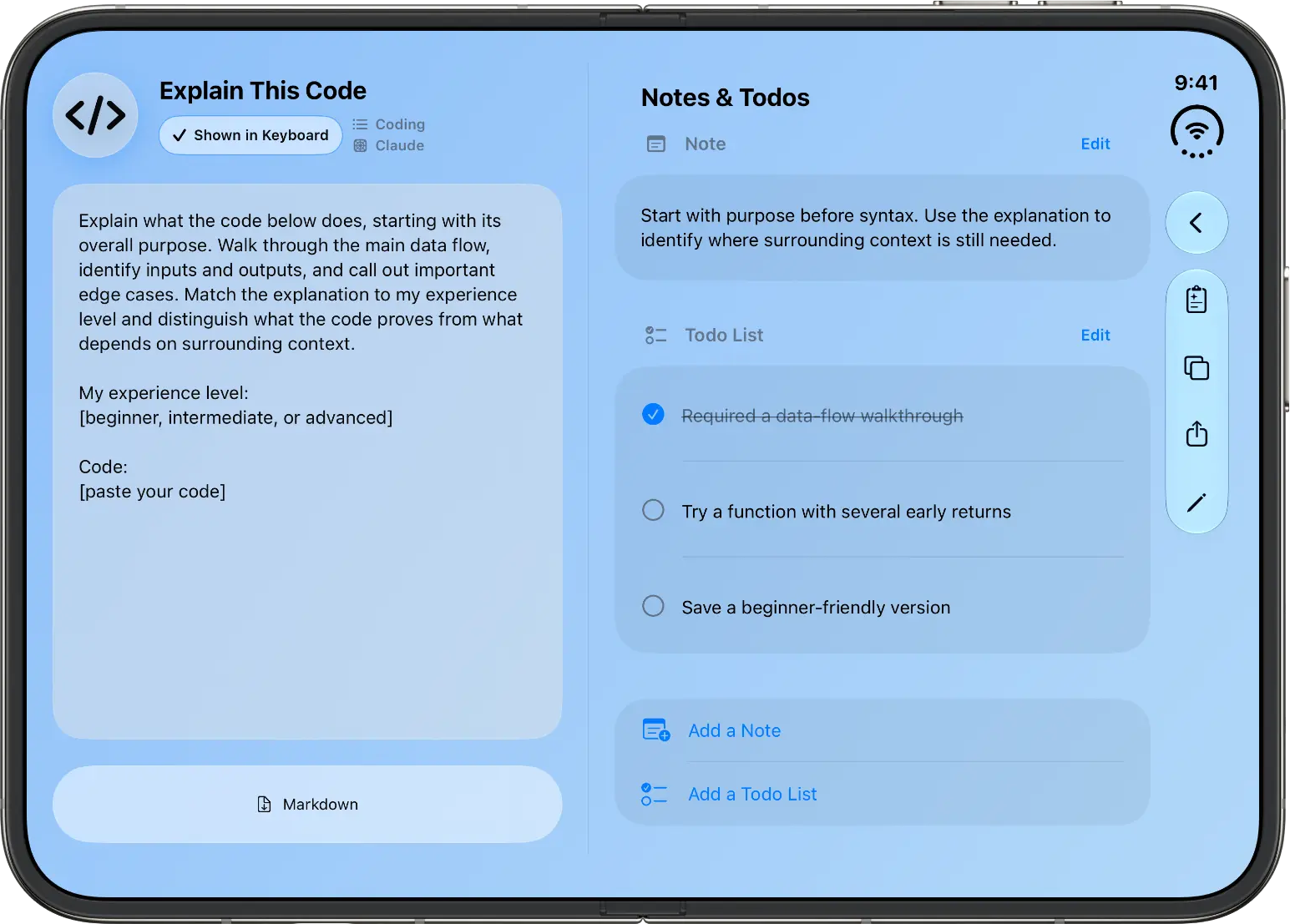
Plan Changes
Add notes and todo lists to iterate on your prompts while you test them for output results over time.
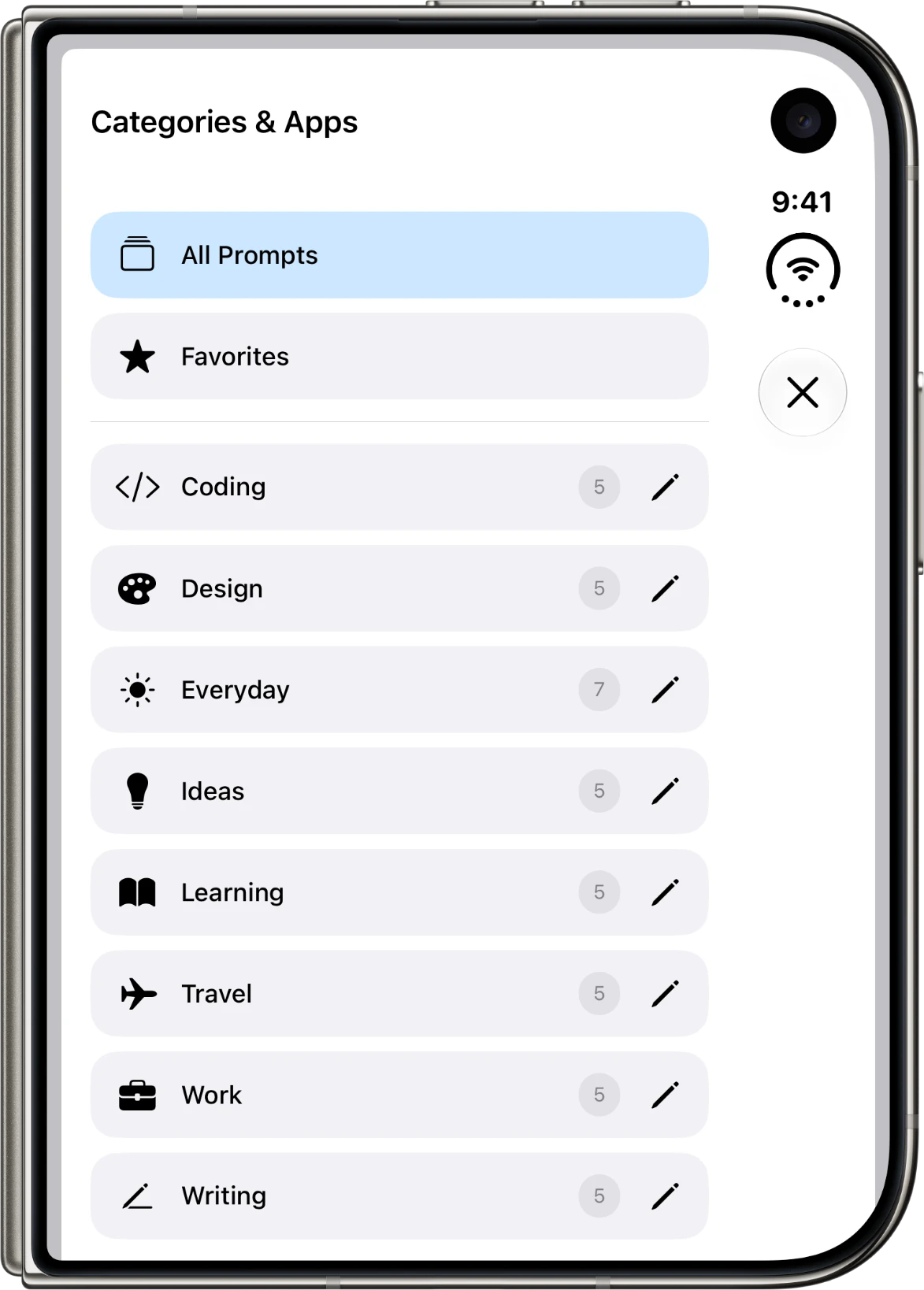
Create Categories
Set up and customize your own collection of categories to manage your growing prompt library.
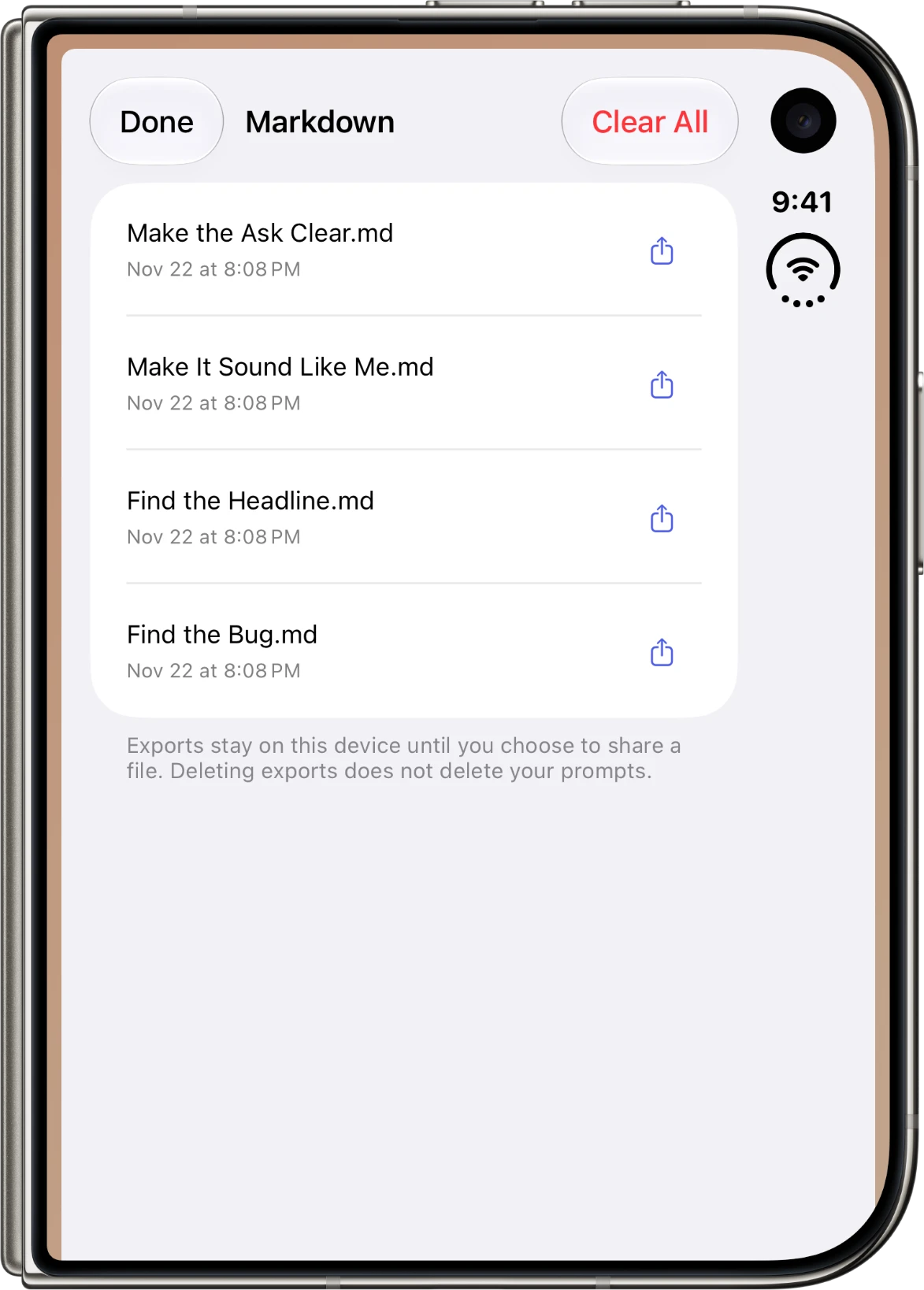
Save as Markdown Files
Want to turn a prompt into a skill? Save your prompts as Markdown files to teach your favorite AI apps.
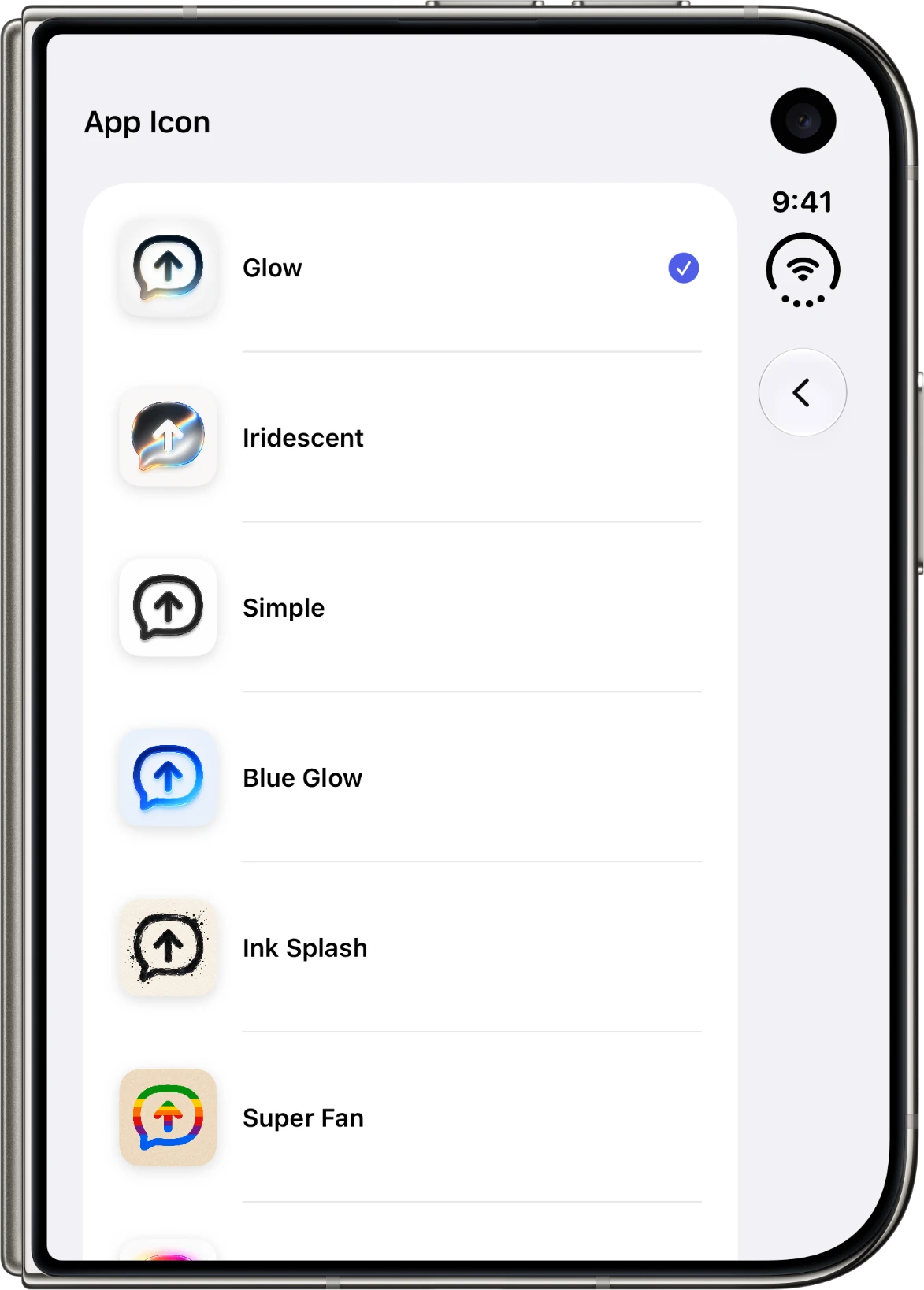
An Array of Alternate Icons
Pick the QuillCue icon that suits your home screen best. There are simple, colorful, skeuomorphic, and dark icons to choose from.
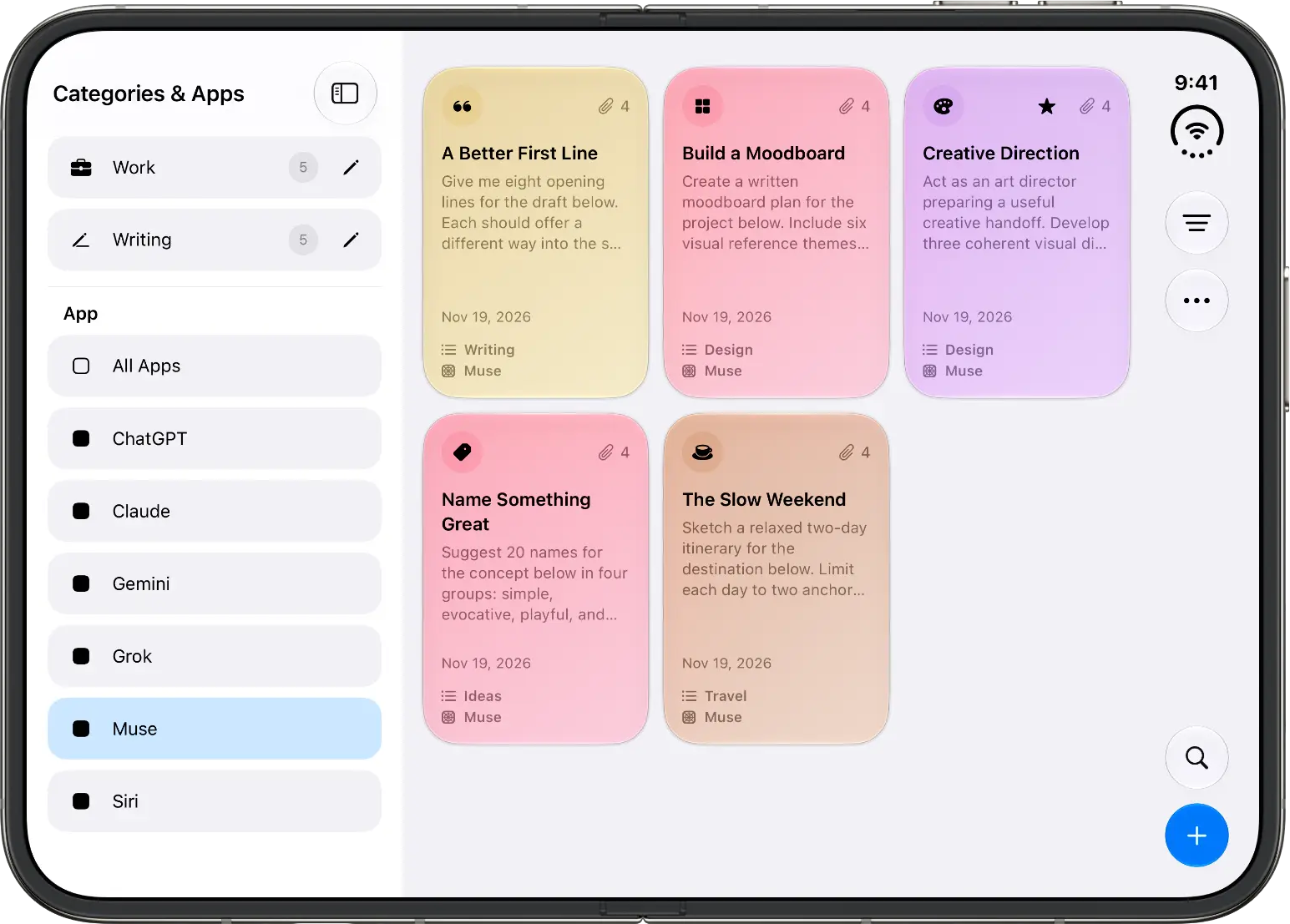
Group by AI Apps
Organize your prompt library by your favorite AI apps both inside of the app and when using the keyboard.
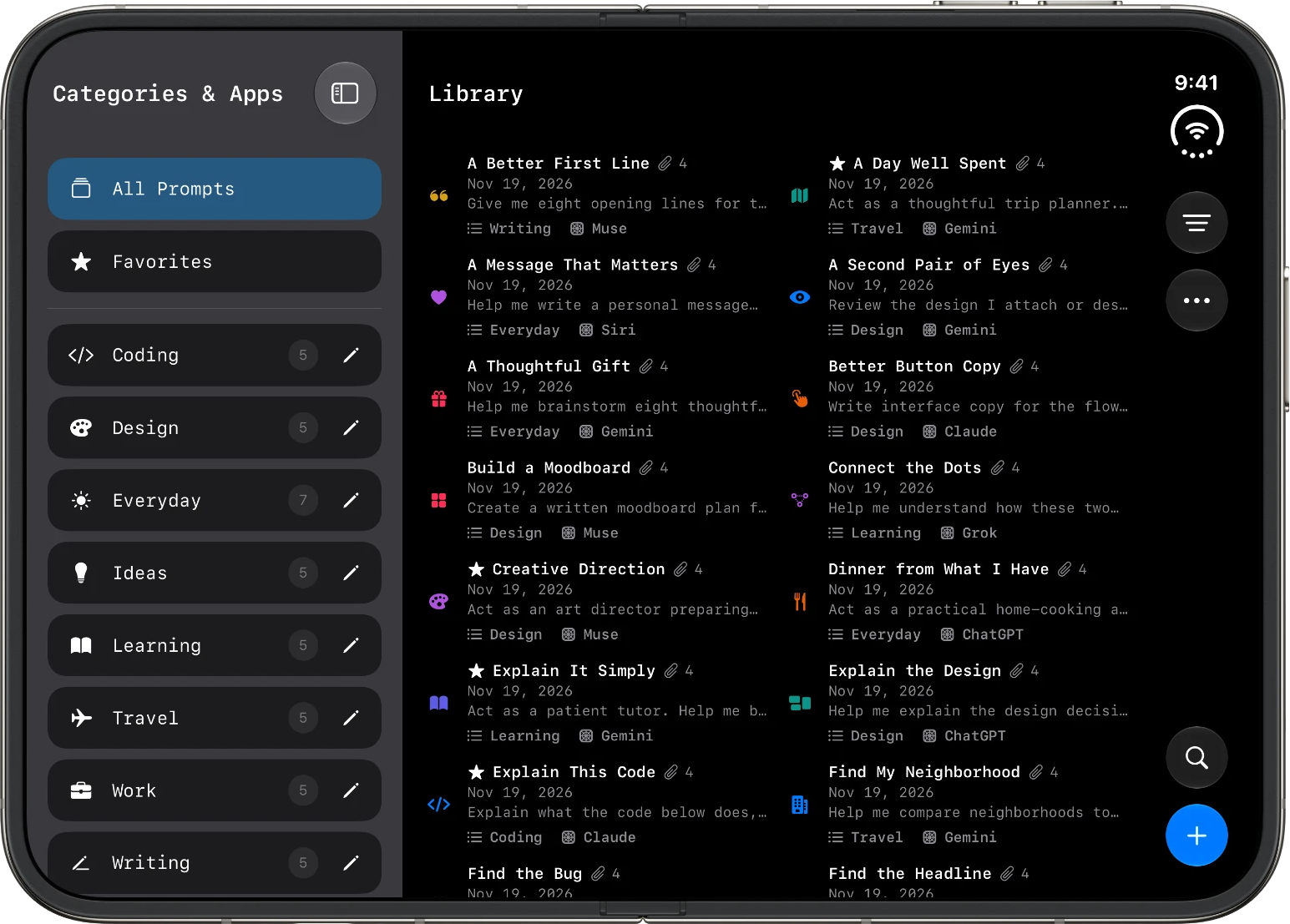
Highly Customizable
Choose from a variety of typography and layout options to make QuillCue fit your personal taste.
Available in the US only • QuillCue requires iOS 27
Siri, iPhone, iPad App Store, TestFlight, and iOS are trademarks of Apple Inc., registered in the U.S. and other countries and regions. QuillCue is an independent app and is not affiliated with, endorsed by, or sponsored by any other company. QuillCue is not affiliated with or endorsed by any third-party app developers or locations mentioned in screenshots. Third-party app availability and Siri support may vary.